Notion vs Evernote: Which Is the Better All-in-One Workspace for 2025?
A complete comparison of Notion and Evernote in 2025. Learn how they differ in note-taking, organization, workflows, collaboration, integrations and overall flexibility.
Jan 2, 2026
Productivity software has evolved rapidly over the last decade. We have moved past simple apps for typing up notes and into comprehensive systems where we plan projects, store files, and collaborate with teams. When a single tool holds that much of your work, the decision of which one to use carries real weight.
Notion and Evernote remain the biggest contenders in the market. Both have defined how millions of us organize information. However, as the way we work in 2025 requires more flexibility and smarter connections, the difference between what these two platforms provide is becoming impossible to ignore.
We have moved past the era where a simple notes app is enough. Today, professionals, students, and teams require tools that adapt to the actual work being done. This includes managing tasks, tracking goals, planning content, and connecting it all in one place. These platforms are no longer just accessories. They are the backbone of our daily operations.
Evernote defined the early days of digital productivity. It built a massive following on a simple promise. It offered reliable capture and powerful search. It was the ultimate digital filing cabinet. Notion arrived with a fundamentally different philosophy. It offered a modular workspace where pages and databases could be shaped into custom systems. It acts more like a set of digital building blocks.
In 2025, the question is no longer, "Which app helps me take notes?"
It is, "Which workspace can support my entire life and business?"
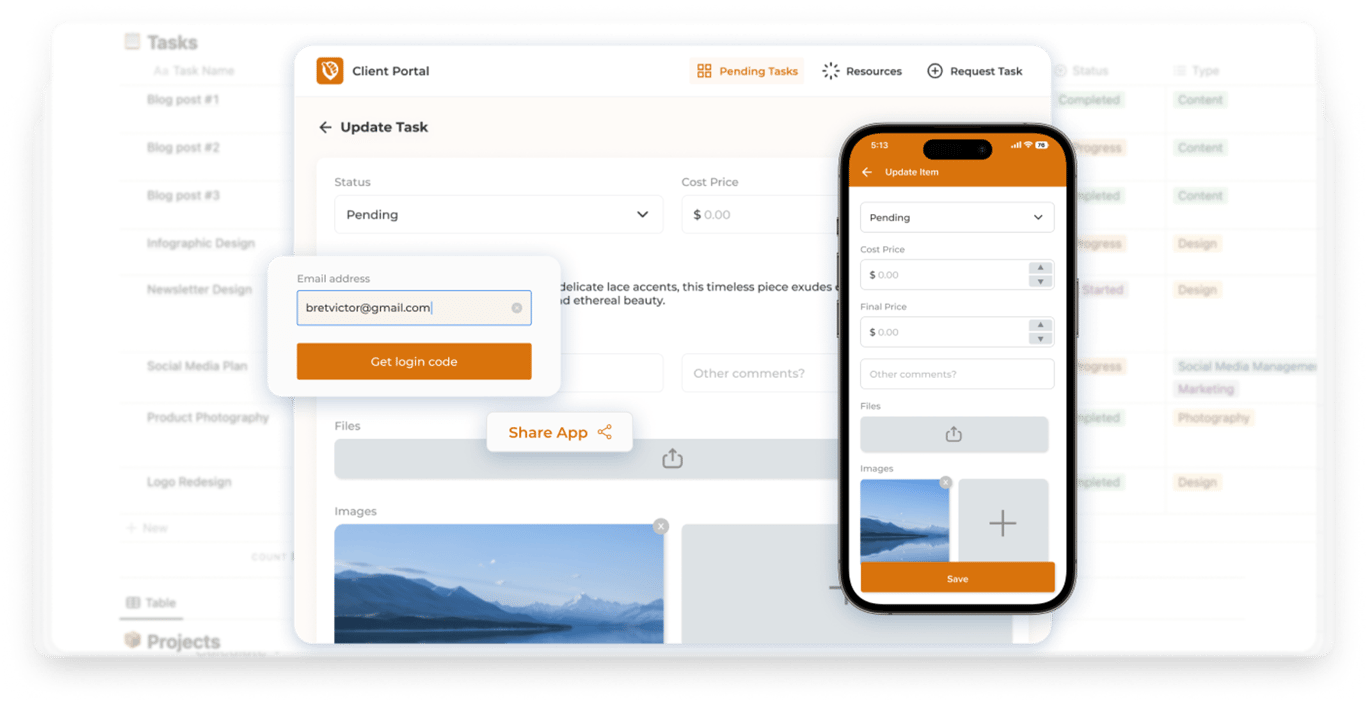
This is where the distinction becomes sharp. Evernote remains a solid choice for personal storage, but Notion has evolved into a comprehensive operating system for work. It handles complex workflows, project management, and data organization with ease. The rise of tools like NotionApps has further widened this gap. These integrations transform static Notion databases into functional mobile and web apps, pushing Notion from a productivity tool to a true software platform.
This guide breaks down exactly how these two giants compare today and which one is equipped to handle the demands of a modern workspace.
Quick Overview: What Each Tool Is Best Known For
Before comparing specific features, it helps to understand the core identity of each platform. Evernote and Notion may both look like productivity tools, but they were built with very different philosophies. This distinction shapes everything else about how they work.
Evernote: A Legacy Note Taking Powerhouse
Evernote has been a staple of the productivity world for over 15 years. It built its reputation as the definitive place for capturing and storing information. At its core, it is a fast and reliable tool designed for quick input and easy retrieval.
It is best known for:
Being one of the earliest and most reliable digital note taking platforms.
Excelling at personal notes, quick capture, and long term storage.
Offering best in class search features, specifically for scanned documents and handwriting.
Providing a clean interface based on notebooks, stacks, and tags.
This makes Evernote ideal for users who want minimal setup. It works best when you need to write quickly, save a web clip, and find it later without thinking about structure.
Notion: A Customizable All in One Workspace
Notion was never designed to be just a notes app. It is a modular workspace built to adapt to any type of work. It handles notes, projects, databases, wikis, and dashboards all within the same ecosystem.
It is best known for:
A flexible architecture built from blocks, pages, and relational databases.
The ability to combine notes, tasks, wikis, and projects in a single system.
Highly customizable workflows that scale from personal dashboards to full team workspaces.
Powerful features like templates, automations, and an open API.
Notion often replaces several apps at once. Your task manager, notebook, CRM, content calendar, and knowledge hub can all live inside it.
This capability extends even further with tools like NotionApps. Because Notion is structured on databases, you can use integrations to turn your pages into fully functional web and mobile apps. This is a level of utility that Evernote simply was not built to support.
Interface & Ease of Use
The interface of a productivity tool shapes how you think, write, and organize your work. Evernote and Notion take very different approaches here. One focuses on simplicity while the other focuses on flexibility.
Evernote: Clean, Familiar, and Easy to Start
Evernote’s interface has remained largely consistent for years. This is part of its appeal. It is designed to feel familiar from the moment you open it.
A simple sidebar displays your notebooks, tags, and shortcuts.
The note editor is clean with standard formatting options.
It requires almost zero setup. You just open a note and start typing.
This makes it excellent for quick capture and straightforward organization. However, this simplicity comes with limitations. Customization options are minimal. The workspace looks the same for everyone. If you want to build something beyond basic note taking, Evernote quickly feels restrictive.
Notion: Highly Customizable, Flexible, and Modular
Notion takes the opposite approach. Instead of forcing you into a fixed layout, it lets you design your workspace however you want.
Pages are fully customizable canvases.
Everything is built using flexible "blocks" that you can drag and drop.
Databases give structure to notes, tasks, and projects.
Multiple views like tables, boards, timelines, and galleries help you visualize information.
The writing experience is clean but far more dynamic.
The trade off is that Notion has a slightly steeper learning curve. But once you understand the concept of blocks and databases, the flexibility is unmatched. You are not just using an app. You are building your own tools.
Note-Taking Power: Which One Wins?
After looking at the interface of both tools, the next obvious question is how they actually feel when you sit down to write. Note-taking is still the heart of any productivity platform, and this is where Evernote and Notion start to show their differences more clearly.
Evernote: Simple, Fast and Designed for Capture
Evernote has always prioritized quick, frictionless note-taking. Its editor is intentionally minimal, which makes it easy to open a blank page and start typing without thinking about structure.
Very fast for jotting down ideas or clipping content
One of the best web clippers available
Excellent search (including scanned documents)
Familiar notebook + tag system
Evernote works best for people who want notes that behave like traditional documents, simple, direct and easy to retrieve later.
Notion: Rich, Structured and Built for Evolving Notes
Where Evernote focuses on speed, Notion focuses on flexibility. Notes aren’t just documents; they’re living pages that can grow into something more.
Blocks allow everything from headings to embeds, toggles and callouts
Notes can live inside databases, which improves organization
Easy to link related pages for better structure
Great for long-form writing, research, and multi-step content
Notion’s note-taking is especially useful when your ideas need more than just text, when they need context, structure or connection to other parts of your workspace.
How They Compare
If you mainly capture quick thoughts and save references, Evernote stays ahead in simplicity.
If your notes naturally turn into tasks, documents, wikis or projects, Notion gives you far more room to build around them.
Rather than two apps competing for the same job, they almost represent two different philosophies: Evernote is built for storing information, while Notion is built for developing it.
Once you move beyond simple notes, the real difference between Evernote and Notion becomes clear. Organization is not just about folders and tags anymore. It is about how information connects, scales, and adapts as your work grows. This is where the gap between the two platforms widens significantly.
Evernote: Familiar Structure, Limited Depth
Evernote sticks to a classic system: notebooks and tags. It is simple, predictable, and works well if you only need a basic way to group your notes.
Notes live inside notebooks.
Tags add extra categorization across notebooks.
It works well for small to medium sized collections.
It is easy to browse or search but not designed for complex relationships.
This traditional structure is great for personal organization. However, once you try to build anything larger, like a content calendar, a project tracker, or a company wiki, it starts to feel restrictive. You hit a wall where the software dictates how you work, rather than the other way around.
Notion: Databases That Transform How You Organize Information
Notion takes a completely different approach. Instead of static notebooks, it gives you databases. These behave like dynamic tables where each entry is also a fully formatted page. These databases can relate to each other, filter content, and display data in multiple formats.
You can create tables, boards, calendars, galleries, or timelines from the same data.
You can add custom properties like tags, dates, statuses, people, and numbers.
You can link databases together to build connected systems.
You can filter, sort, and visualize information exactly how you need it.
This flexibility is what allows Notion to act as a true all in one workspace. A simple set of notes can evolve into a structured knowledge base, a content publishing workflow, or even a lightweight internal tool. You are not just storing data. You are engineering a system that works for you.
Task Management & Workflow Capabilities
Productivity tools need to do more than just hold text. You need a place to manage the actual work. You need to track tasks, plan projects, and see what is coming next. This is where the divide between Evernote and Notion becomes massive.
Evernote: Good for Simple, Personal Task Lists
Evernote has task features, but they are elementary. They are fine for a personal grocery list or a quick reminder. You get checklists inside notes and simple due dates.
However, because tasks live inside static notes, you cannot see the big picture. There is no board view to drag items across. There is no timeline to see if you are behind schedule. It is reliable for writing down a task, but it is not designed to help you actually manage a project.
Notion: Built for Projects, Teams, and Repeatable Workflows
Notion handles tasks completely differently. It lets you build a real system. Tasks live in a database, which means they have actual properties like Status, Priority, Due Date, and Owner.
You can create Boards, Calendars, Timelines, or Lists from the same data.
You can track deadlines, assign team members, and set dependencies.
You can build dashboards that show you exactly what is due this week.
You can connect specific tasks to larger projects or goals.
This flexibility means you can start with a simple checklist and scale it up into a professional project management system without ever leaving the app.
Collaboration & Team Use
As more work moves online, teams need tools that make it easy to share information, collaborate in real time, and keep everyone aligned.
Evernote: Mostly Built for Individual Use
Evernote’s collaboration features are functional but limited. You can share notes and notebooks with others, but the experience is still heavily geared toward personal productivity rather than team coordination.
You can share notes with teammates.
You get basic permission options.
Comments are available, but it lacks true real time collaboration.
There are no shared dashboards or structured team spaces.
For quick sharing or sending reference material, Evernote works fine. But for teams managing projects, updating tasks, or building shared knowledge hubs, its collaboration tools feel minimal. It was designed for one person, and it shows.
Notion: Designed for Teams, Workflows, and Shared Spaces
Notion was built with collaboration at the center. Whether you are working with a partner, a club, or an entire organization, it provides a shared workspace where everything stays connected and up to date.
You get real time editing with live cursors.
You can leave inline comments and mention teammates anywhere.
You can build custom team workspaces and shared pages.
It serves as a centralized knowledge base and project hub.
You can easily assign tasks or responsibilities.
You have granular control over permissions for pages, databases, or individual entries.
Because Notion combines notes, tasks, and databases in one place, teams can collaborate without bouncing between tools. Everything from brainstorming to project tracking stays inside the same workspace.
Integrations & Ecosystem
In 2025, a productivity tool isn’t just judged by what it can do on its own, it’s judged by how well it connects with the rest of your workflow. Integrations, automation and ecosystem support have become essential, especially for people managing more than just notes. This is an area where Notion and Evernote take noticeably different paths.
Evernote: Limited Integrations, Static Workflows
Evernote supports a handful of integrations, but they’re mostly tied to capturing or storing information. While useful, they don’t offer much in terms of automation or workflow-building.
Fewer integration partners
Mostly focused on note capture and storage
Limited automation across other tools
No API designed for building complex systems
Evernote works fine if your workflow is simple, but once you try connecting it to other parts of your tech stack, scheduling, tasks, communication tools, or operations, it starts to fall short.
Notion: A Growing, Flexible, Automation-Friendly Ecosystem
Notion’s ecosystem has exploded over the past few years. It now integrates with a wide range of apps and services, making it much easier to connect your workspace to the tools you already use.
Integrations with Slack, Google Calendar, GitHub, Jira and more
Works smoothly with automation platforms like Zapier and Make
The Notion API lets you build custom workflows or synchronize data
Databases act as structured endpoints for data coming in or out
Expanding marketplace of widgets, templates and AI tools
These connections help you automate repetitive tasks, centralize your information and create cross-platform workflows that Evernote can’t match.
A key example is NotionApps, which lets you turn Notion databases into full mobile and web apps without coding. This extends Notion far beyond traditional note-taking and gives users the ability to build tools tailored to their own processes, something Evernote doesn’t support at all.
Pricing Comparison (2025)
Pricing plays a big role when choosing a long-term workspace. Both Evernote and Notion offer free plans and paid tiers, but the value you get at each level is quite different. Understanding what’s included helps you decide which tool actually fits your budget and workflow needs.
Evernote Pricing (2025)
Evernote’s plans are structured around personal productivity, with higher tiers unlocking more storage and device flexibility.
Free Plan:
Limited devices
Basic notes and tasks
Upload limits apply
Best for light personal use
Personal / Professional Plans (Paid):
More device flexibility
Larger upload limits
Better search features
Additional task functionality
Evernote’s pricing makes sense if you want a dedicated note storage platform, but you may hit limits quickly if you rely on it for heavier work.
Notion Pricing (2025)
Notion’s plans are designed around flexible workspaces, collaboration and databases—meaning even the free tier provides a lot of capability.
Free Plan:
Unlimited pages and blocks
Full access to databases
Sharing with limited collaborators
Powerful enough for individual creators and students
Plus / Business Plans (Paid):
More collaboration features
Advanced permissions
Unlimited file uploads
Team workspaces and admin controls
API features and automation enhancements
Because Notion gives you databases, customizable workflows and team collaboration right from the free plan, the value at every tier tends to feel higher.
Which Tool Should You Choose in 2025? (Final Verdict)
Now that we’ve compared both tools across note-taking, organization, workflows, collaboration and integrations, the question becomes simple: which one is the better fit for your needs in 2025?
When Evernote Makes Sense
Evernote is still a solid choice for users who want:
a straightforward note-taking tool
fast capture with minimal setup
strong search and document storage
a simple individual workspace
If your workflow revolves around collecting information, not managing projects or building systems, Evernote will feel comfortable and reliable.
When Notion Is the Better Option
Notion is ideal if you’re looking for:
a flexible all-in-one workspace
databases for structured organization
project and task management
team collaboration features
customizable workflows
integrations that extend what the tool can do
Notion handles simple notes just as easily as Evernote, but its true strength shows when your needs grow. Whether you’re planning content, managing clients, tracking goals or building internal systems, Notion adapts without forcing you to switch tools.
Because it connects so well with the broader ecosystem of automation tools, templates and third-party services, it scales with you, something Evernote can't fully match.
Conclusion
Both tools are excellent at what they were originally designed for.
Evernote remains one of the best options for clean, fast note capture.
But if you want a workspace that can evolve into your second brain, your project hub or even the foundation for lightweight internal tools, Notion is the more future-ready choice.
In 2025, productivity isn’t just about storing information, it’s about structuring it, connecting it and building flexible systems around it.
That’s where Notion stands out, and why it’s the better all-in-one workspace for most people today.