Notion vs Obsidian: Which Is the Better Knowledge & Productivity Tool?
An in-depth look at Notion vs Obsidian, breaking down philosophy, workflows, collaboration, and which tool fits different thinking styles.
Jan 15, 2026
Choosing a note-taking tool today is no longer just about writing things down. It’s about how you store ideas, connect information, and support the way you think over time. As people move toward more intentional knowledge management, two tools come up again and again: Notion and Obsidian. Both are powerful, both are popular, and both take very different approaches to helping you think and work. Understanding those differences is the first step to choosing the right one.
Introduction: Two Very Different Ways to Think and Work
The role of a note-taking app has changed. Ten years ago, we used these tools just to capture a quick thought or save a receipt. Today, we expect them to do much more. We use them to plan projects, study for exams, and organize our lives.
The challenge is no longer just writing things down. It is making sure those notes are actually useful later. We want to be able to find connections between ideas and build on them over time, rather than letting them disappear into a digital black hole.
This brings us to Notion and Obsidian. While both are powerful, they solve this problem in completely different ways.
Notion is built on structure. It allows you to organize information into clear pages, databases, and shared workspaces. It is designed for people who want to build a system, whether that is for managing a team, tracking a project, or running a business.
Obsidian is built on connections. It works like a web of thought, linking individual notes together to mimic how your brain works. It is designed for people who want a private, distraction-free environment to develop ideas and write without boundaries.
Choosing between them is not about which one has more features. It is about deciding whether you need a structured command center for your projects or a flexible canvas for your thoughts.
Core Philosophy: Workspace vs Knowledge Graph
Before comparing features, it helps to understand what each tool is trying to be. The difference between Notion and Obsidian goes deeper than checkboxes or plugins. It comes down to intent.
Notion is built as an all-in-one workspace. It treats information as something to be organized, structured, and shared. Pages, databases, tasks, and documents all live in the same environment and are designed to work together. The goal is not just to capture knowledge but to turn it into a system. This is why Notion naturally supports projects, workflows, and collaboration across teams.
Because of this, Notion appeals to people who think in terms of structure. If your work involves planning, managing information at scale, or working with others, having everything connected inside one workspace feels intuitive. Knowledge becomes something you active use rather than just something you store.
Obsidian is built around the idea of a personal knowledge graph. Your notes are simple Markdown files stored locally on your device. There is no central structure imposed by the tool. Instead, meaning emerges through links between notes. Backlinks, graph views, and networked thinking are central to how Obsidian works.
This philosophy attracts users who value ownership, flexibility, and organic growth. Obsidian feels less like a system you build and more like a thinking space you cultivate. It is especially appealing to writers, researchers, and anyone focused on long-term personal knowledge rather than shared workflows.
This difference explains why people often feel strongly drawn to one tool over the other. Notion resonates with those who want structure and shared context. Obsidian resonates with those who want autonomy and a tool that adapts entirely to their own thought process.
Writing, Linking, and Knowledge Organization
The way a tool handles your words changes how your ideas grow. This is where the biggest difference between Notion and Obsidian lies, not just in features, but in how they expect you to think.
Obsidian: Connecting the Dots
Obsidian is built for the messy, organic way our brains actually work. It encourages you to write "atomic notes", short, focused ideas and connect them with links. You don’t need to worry about folders or where a file "should" live. You just write, link it to a related thought, and move on.
Over time, these connections create a personal web of knowledge. The famous "Graph View" visualizes this, showing you how your ideas relate to one another. It’s excellent for research and deep thinking because structure isn’t forced; it emerges naturally as you write. You might start with a random thought and end up discovering a connection you hadn’t planned.
Graph View in Obsidian
Notion: Building a System
Notion takes a more architectural approach. It asks you to give your information a home. Writing happens inside pages, which live inside other pages or databases. It encourages you to be intentional: "This is a meeting note, so it goes in the Meetings database."
This structure is Notion's superpower. Because notes can be tagged, filtered, and connected to projects, it is incredibly easy to find things later. You aren't just writing; you are building a library where everything has a clear place and purpose.
The Bottom Line
In practice, this leads to two very different experiences. Obsidian feels like a studio for your mind, a place to explore and let ideas evolve. Notion feels like a well-organized office, a place where information is structured, actionable, and easy to share. One helps you develop your thoughts; the other helps you organize them.
Usability, Learning Curve, and Daily Workflow
How a tool feels on a Tuesday morning when you are busy matters more than how powerful it looks on a feature list. This is where the gap between Notion and Obsidian becomes most obvious.
Obsidian: Speed and Focus
Obsidian feels like a code editor for your thoughts. It is minimal, fast, and distraction-free. You spend most of your time writing in Markdown (using simple keyboard shortcuts to format text) and navigating through your links. For people who prefer keeping their hands on the keyboard and avoiding mouse clicks, this workflow is incredibly satisfying.
However, this speed comes with a learning curve. The challenge isn't the software itself, but the concepts behind it. To get the most out of Obsidian, you have to get comfortable with ideas like "atomic notes" and "backlinking." You aren't just learning a tool; you are learning a new method of thinking. It can feel like staring at a blank canvas until you understand how to connect the dots.
Notion: Visual and Forgiving
Notion feels more like playing with digital Lego blocks. Its interface is polished and visual from the moment you open it. The block-based editor allows you to drag and drop paragraphs, images, and headlines until the page looks exactly how you want it.
This makes the learning curve much more forgiving. You can start using Notion as a simple note-taking app today and ignore the complex features. As you get more comfortable, you can gradually layer in databases, filters, and custom views. It grows with you, allowing you to start simple and get sophisticated later without feeling overwhelmed on day one.
The Daily Experience
In practice, these differences shape your daily rhythm. Obsidian often becomes a quiet corner for deep work: a place you go to think, write, and reflect without distractions. Notion tends to become your operating system: a bustling hub where your meeting notes, to-do lists, and project plans live side-by-side. One optimizes for depth of thought, the other for clarity of action.
Collaboration, Sharing, and Scaling
As soon as your notes move beyond personal use, collaboration becomes the deciding factor. This is where the design choices behind Notion and Obsidian lead to two completely different experiences.
Notion: Built for Teams
Notion was designed from day one to be a multiplayer environment. It functions as a shared brain for groups of any size. You can invite a colleague to a single page or onboard an entire department into a workspace.
Because it lives in the cloud, everything happens in real time. You can see your teammates typing, leave comments on specific blocks of text, and tag people to get their attention. The permission settings allow you to control exactly who can view, edit, or share specific parts of your workspace.
This makes Notion the natural choice for shared documentation, project planning, and internal wikis. It scales effortlessly from a solo freelancer to a massive organization without requiring complex workarounds. Information isn't just stored; it is aligned across people.
Obsidian: Built for Privacy
Obsidian takes the opposite approach. It is designed primarily as a personal, local-first tool. Your notes live on your hard drive, not on a server. This means you own your data completely, but it also means there is no "Invite" button to instantly share a note with a coworker.
While it is possible to sync folders or publish notes using external tools, these are often manual processes. There is no native way to have two people editing the same note at the same time. For many Obsidian users, this isolation is a feature, not a bug. It ensures that your private thoughts remain private and independent of any cloud service.
The Trade-off
The choice here is simple. If you need a single source of truth that multiple people can contribute to and maintain, Notion is the only viable option. If you want a private, distraction-free environment where you are the sole architect of your knowledge, Obsidian is the superior choice.
Ecosystem, Extensions, and Long-Term Flexibility
Beyond the basic features, the community around a tool often determines how much it can grow with you. This is where the long-term path for Obsidian and Notion splits into two very different directions.
Obsidian: The Tinkerer’s Playground
Obsidian has a massive, community-driven library of plugins. Because the files are local and the app is highly configurable, you can mold it into almost anything you want.
If you need a specific feature, like a spaced repetition flashcard system or a Kanban board with very specific rules, there is likely a plugin for it. This allows power users to shape Obsidian into a deeply personal tool that fits their exact mental model. The trade-off is that it requires maintenance. You are the mechanic. You have to install, configure, and update these plugins yourself. It rewards people who love to tinker under the hood to get things just right.
Notion: Connecting to the Outside World
Notion’s ecosystem works differently. Instead of just changing how the app looks or feels, Notion focuses on connecting your data to other software.
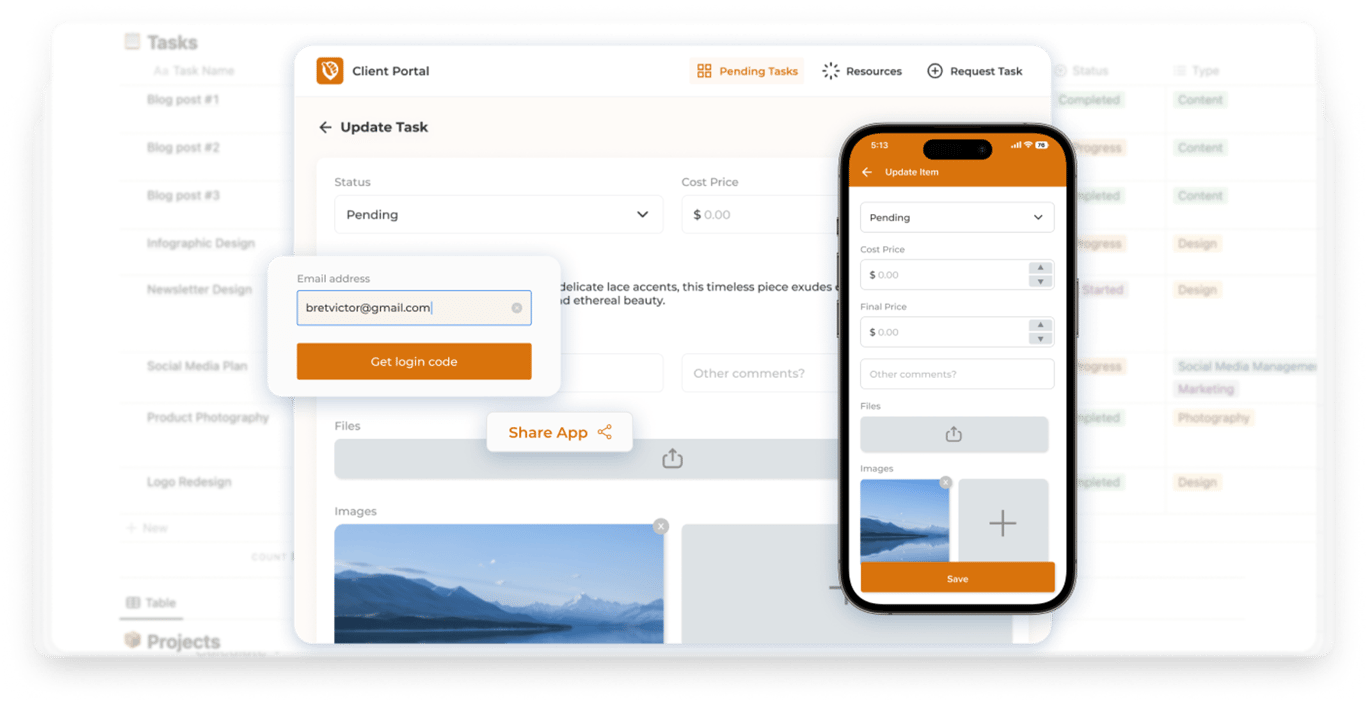
Its powerful API allows external tools to build directly on top of your workspace. This is where Notion moves beyond simple note-taking. You can use tools like NotionApps to turn a database into a secure client portal or a mobile app for your team. You can use Zapier to automatically pull in Typeform responses or Slack messages.
Rather than customizing the editor itself, you are expanding what your information can do. A simple workspace can evolve into a fully functional internal tool or a customer-facing system without you writing a single line of code.
The Long-Term View
Over time, the distinction is clear. Obsidian offers deep control over your personal environment. It lets you build a tool that behaves exactly how you think. Notion offers broad connectivity. It lets you build a system that talks to the rest of the world and solves real business problems.
Final Thoughts: Choosing the Right Tool for How You Think
Comparing Notion and Obsidian ultimately comes down to understanding how you prefer to work and what role your notes play in your life. Both tools are powerful, but they solve very different problems.
Obsidian is ideal for people who want a private, local-first space to think, write, and build long-term personal knowledge. Its strength lies in helping ideas grow organically through links, without imposing structure too early. For deep thinking, research, and writing, that freedom is often exactly what users are looking for.
Notion, on the other hand, is designed for turning information into systems. It excels when notes need structure, when projects need coordination, and when knowledge needs to be shared or acted upon. As work becomes more interconnected, having everything live in one organized workspace can make a meaningful difference.
The right choice isn’t about which tool is objectively better. It’s about whether you’re building a personal knowledge graph or a structured workspace that supports ongoing work. Once that distinction is clear, choosing between Notion and Obsidian becomes much easier.